
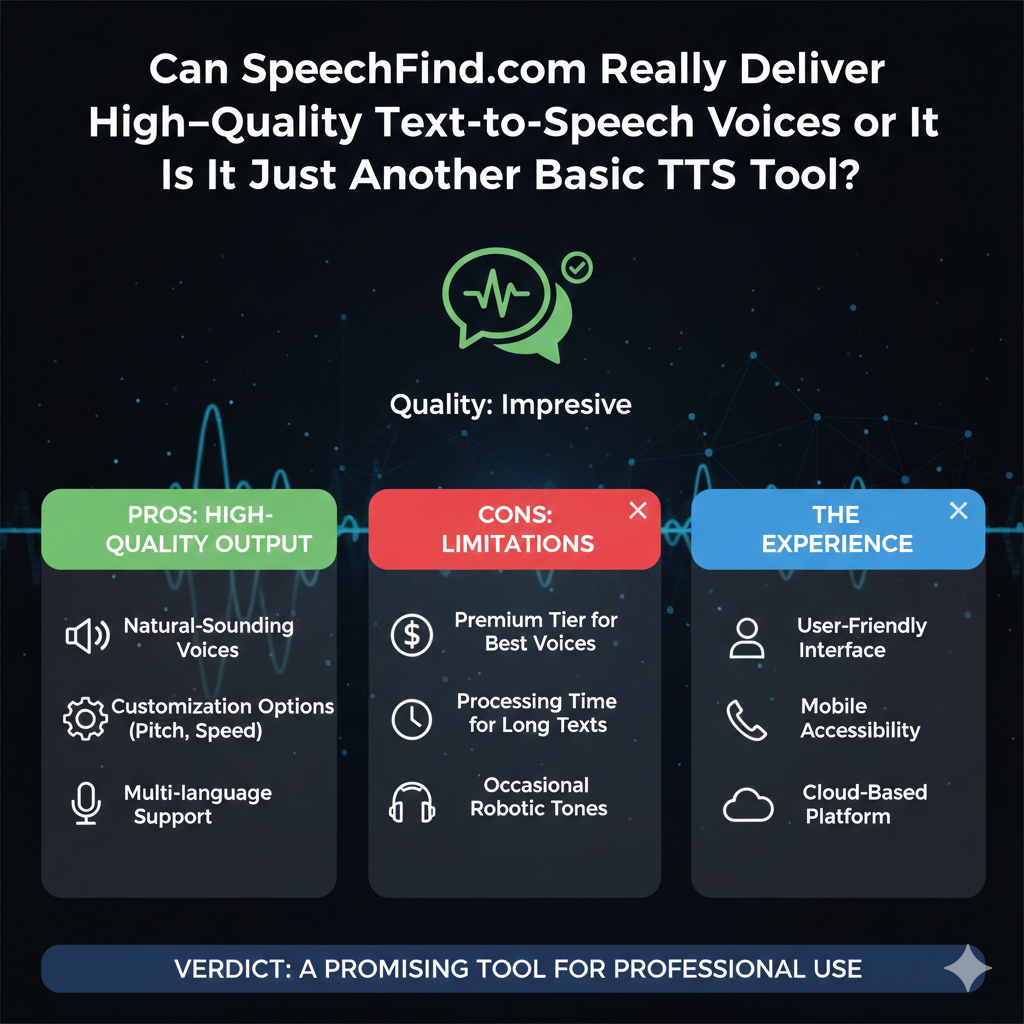
SpeechFind.com is an online platform that offers text‑to‑speech (TTS) and voice synthesis tools designed to help users convert written content into audio. The site positions itself as a convenient voice‑generation resource for content creators, educators, students, and businesses who want to convert text into spoken word for accessibility or multimedia purposes.
- What Does SpeechFind.com Offer?
- 1. Text‑to‑Speech Conversion
- 2. Multiple Voice Options and Customization
- 3. Downloadable Audio Outputs
- 4. Browser‑Based Interface
- Pros (Strengths)
- 1. Fast, Accessible Voice Generation
- 2. No Installation Required
- 3. Useful for Multiple Audiences
- 4. Helpful for Multimedia Projects
- Cons (Weaknesses)
- 1. Limited Independent Verification
- 2. Quality Variation
- 3. Lack of Clear Pricing Transparency
- 4. Minimal Editorial Transparency
- Trustworthiness & Safety
- Who SpeechFind.com Is Best For
- Future Benefits & Growth Potential
- 1. Improved Voice Quality
- 2. Developer APIs
- 3. Subscription Tiers
- 4. Documentation & Tutorials
- 5. Multi‑Language Expansion
- Conclusion
According to the platform’s own descriptions, SpeechFind.com aims to make voice generation simple, fast, and versatile — allowing anyone to generate lifelike voice audio from written text in multiple languages and styles. The site targets users who need voiceovers for blogs, videos, e‑learning material, presentations, and accessibility features such as reading assistance for visually impaired users. (speechfind.com)
What Does SpeechFind.com Offer?
1. Text‑to‑Speech Conversion
The core function of SpeechFind.com is to convert typed or pasted text into spoken audio output using computer‑generated voices. Users can enter text and generate audio in different voice styles, accents, and speeds.
2. Multiple Voice Options and Customization
Many modern TTS platforms offer choices between male and female voices, different languages, and customization of pitch, speed, and tone to match user needs. SpeechFind.com is designed to give some level of customization so users can tailor output to the context (e.g., narration, tutorials, voiceovers).
3. Downloadable Audio Outputs
Users may be able to download the generated speech in common audio formats (e.g., MP3) for later use in videos, podcasts, e‑learning, or accessibility tools.
4. Browser‑Based Interface
SpeechFind.com appears to operate via a browser interface without needing software downloads or installations, making it accessible on laptops, tablets, and mobile devices.
Pros (Strengths)
1. Fast, Accessible Voice Generation
SpeechFind.com’s text‑to‑speech tool provides a simple way to convert text into voice using a web browser — useful for creators who need quick audio outputs without learning complex software.
2. No Installation Required
The platform works online, meaning users can access the tool directly from any supported browser without installing desktop applications or mobile apps.
3. Useful for Multiple Audiences
From content creators and educators to people with visual impairment or reading difficulties, a TTS tool like SpeechFind.com can benefit anyone who needs auditory content from written text.
4. Helpful for Multimedia Projects
Creators producing videos, podcasts, or tutorials can save time by generating voiceovers directly from scripts without recording human speech.
Cons (Weaknesses)
1. Limited Independent Verification
Unlike well‑established services such as Google Text‑to‑Speech, Amazon Polly, or Microsoft Azure TTS, SpeechFind.com has limited independent credibility data available from third‑party review platforms. This means users should be cautious and verify output quality before using it for professional or commercial projects.
2. Quality Variation
Text‑to‑speech quality can vary greatly depending on the underlying engine. Free or basic TTS platforms often produce voices that are less natural or expressive compared to premium services.
3. Lack of Clear Pricing Transparency
If the site offers premium plans or usage limits, these are not always clearly presented on the homepage. Users seeking long‑term or heavy usage may need to test the service to understand pricing, limits, or fees.
4. Minimal Editorial Transparency
Many similar tools provide detailed documentation, developer APIs, and clear policies; SpeechFind.com’s public documentation is limited, making it harder to evaluate reliability.
Trustworthiness & Safety
1. Secure Browsing
SpeechFind.com uses HTTPS encryption, which ensures secure data transfer when users interact with the site. Secure browsing is a standard positive signal for general safety.
2. Independent Reputation
Automated web reputation tools do not flag the domain as dangerous, but the site’s trust score is not high nor officially verified by authoritative review platforms. Without established traffic rankings or external audits, the site’s overall credibility remains moderate.
3. Transparency and Disclosure
Clear documentation on data usage, voice generation algorithms, privacy, or usage policies is not prominently available on the site’s landing pages. Users should review any privacy or terms pages before entering sensitive data.
Who SpeechFind.com Is Best For
- Content creators who need quick voiceovers without recording studios
- Educators and trainers who want accessible audio for lessons
- Students looking for reading assistance or narrated transcripts
- People with visual impairment or reading challenges
- Multimedia developers prototyping voice features
It may be less suitable for enterprise usage where robust API integration, advanced voices, or guaranteed service levels are required.
Future Benefits & Growth Potential
1. Improved Voice Quality
As AI voice generation technology evolves, SpeechFind.com could upgrade to more natural‑sounding voices, emotion‑aware synthesis, and contextual pronunciation.
2. Developer APIs
Offering a TTS API would expand usage into apps, websites, and services beyond simple browser interaction.
3. Subscription Tiers
Introducing clear premium plans with defined usage limits and advanced features would help users choose based on needs.
4. Documentation & Tutorials
Comprehensive help documentation, tutorials, and sample use cases would make the platform more approachable.
5. Multi‑Language Expansion
Expanding language support beyond major languages to cover regional dialects would broaden global appeal.
Conclusion
SpeechFind.com is a browser‑based text‑to‑speech tool aimed at delivering quick, customizable voice generation from written text. Its simplicity and accessibility make it suitable for casual creators, educators, and learners who want easy audio output without software installations.
However, due to limited independent reviews, unclear pricing transparency, and variability in voice quality, it is best used as a supplemental or exploratory tool rather than a primary professional TTS solution.
Users seeking high‑end voice synthesis for commercial or enterprise applications may prefer well‑established platforms (such as Google, Microsoft, or AWS) that offer robust documentation, APIs, and quality assurances.